

Artificial intelligence has become an essential part of daily life in 2026. Whether you’re a student, content creator, entrepreneur, software developer, or business professional, AI tools can help you save time, boost creativity, automate repetitive tasks, and improve productivity.
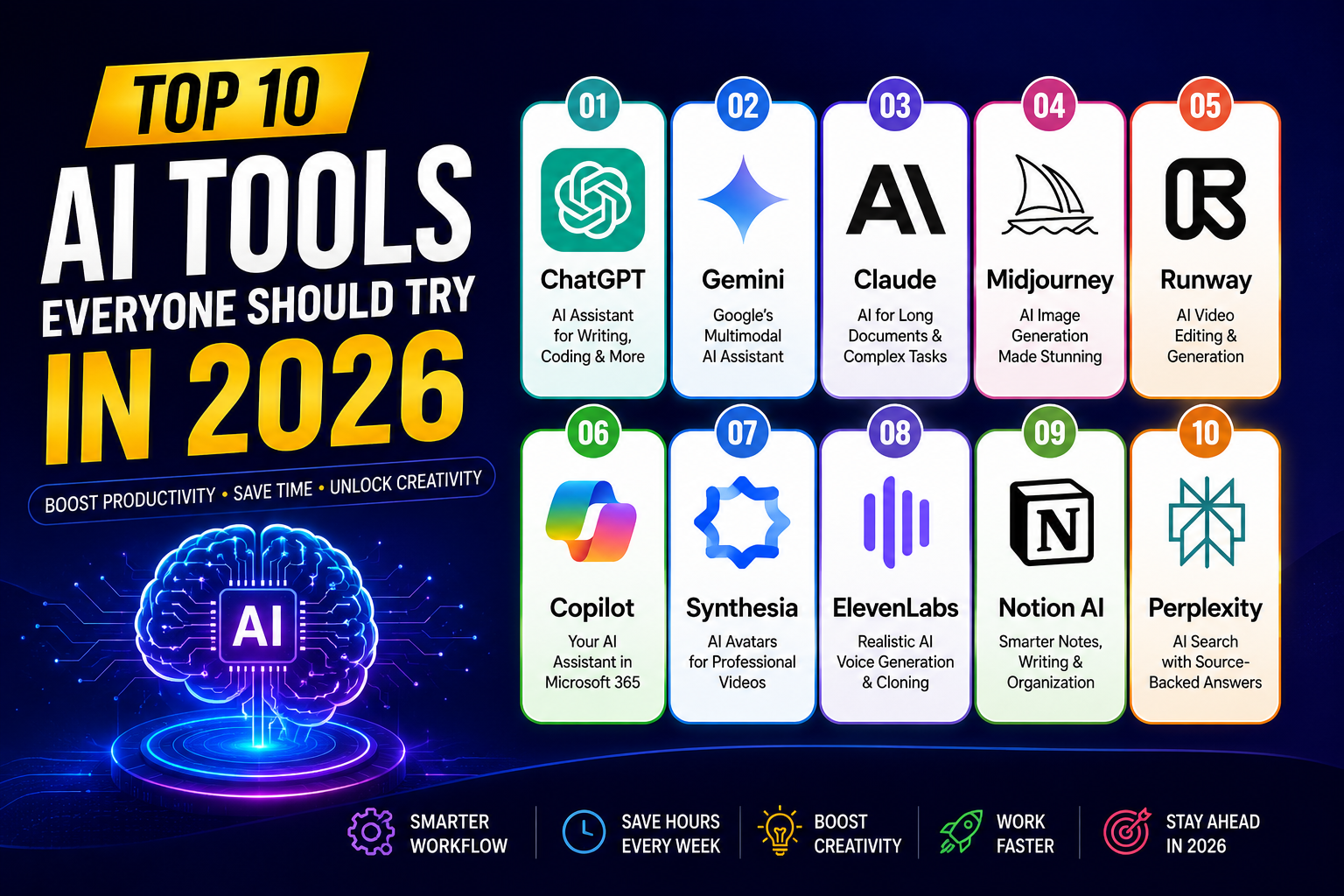
In this article, we’ll explore the top 10 AI tools everyone should try in 2026, their key features, benefits, and the best use cases.
🚀 1. OpenAI ChatGPT
ChatGPT continues to be one of the most powerful AI assistants available.
Best For
- Writing articles
- Coding
- Research
- Brainstorming ideas
- Learning new skills
- Data analysis
Key Features
- Advanced reasoning
- Image generation
- Voice conversations
- Deep research
- Coding assistance
- Custom GPTs
Why People Love It
ChatGPT is like having a personal tutor, programmer, writer, and business consultant available 24/7.
🤖 2. Google Gemini
Gemini is Google’s multimodal AI assistant designed to work across documents, images, code, videos, and the Google ecosystem.
Best For
- Google Workspace
- Research
- Gmail assistance
- Coding
- Image understanding
Top Features
- Long context window
- Real-time web knowledge
- Deep integration with Google apps
- Image analysis
🧠 3. Anthropic Claude
Claude has become a favorite among professionals who work with lengthy documents and complex writing tasks.
Best For
- Large document analysis
- Technical writing
- Research papers
- Business reports
- Programming
Highlights
- Excellent writing quality
- Large context window
- Strong reasoning
- Natural conversations
🎨 4. Midjourney


Midjourney remains one of the leading AI image generators.
Ideal For
- Graphic designers
- Marketing teams
- Artists
- Social media creators
- Book cover design
Features
- Photorealistic images
- Artistic styles
- High-resolution outputs
- Creative prompts
🎥 5. Runway
Runway is transforming video creation with AI-powered editing and generation.
Great For
- Video editing
- AI-generated videos
- Green screen removal
- Motion graphics
- Marketing videos
Features
- Text-to-video
- Image-to-video
- AI editing
- Background removal
💻 6. Microsoft Copilot
Microsoft Copilot integrates AI directly into Windows and Microsoft 365 applications.
Best Uses
- Excel automation
- Word documents
- PowerPoint creation
- Outlook emails
- Coding with GitHub Copilot
Benefits
- Increased workplace productivity
- Better presentations
- Faster spreadsheet analysis
🎬 7. Synthesia
Synthesia enables users to create professional videos using AI avatars.
Perfect For
- Training videos
- Educational content
- Corporate communication
- Product demos
Key Features
- AI presenters
- Multiple languages
- Voice generation
- Easy editing
🎙️ 8. ElevenLabs
ElevenLabs is known for realistic AI-generated voices.
Great For
- Audiobooks
- Podcasts
- YouTube narration
- Voice cloning
- Accessibility
Highlights
- Natural speech
- Multilingual voices
- Emotional expression
- High-quality audio
✍️ 9. Notion AI
Notion AI helps users organize information and create content efficiently.
Best For
- Note-taking
- Project management
- Meeting summaries
- Documentation
- Knowledge management
Features
- AI writing
- Automatic summaries
- Brainstorming
- Database assistance
⚡ 10. Perplexity AI
Perplexity AI combines conversational AI with web search to provide sourced answers.
Best For
- Research
- Fact-checking
- Academic work
- News summaries
- Learning
Why It Stands Out
- Source-backed answers
- Fast responses
- Conversational search
- Research-friendly interface
📊 Quick Comparison
| Tool | Best For | Category |
|---|---|---|
| ChatGPT | Writing, coding, research | AI Assistant |
| Gemini | Google productivity | AI Assistant |
| Claude | Long documents | Writing & Research |
| Midjourney | AI art | Image Generation |
| Runway | Video creation | AI Video |
| Microsoft Copilot | Office productivity | Productivity |
| Synthesia | AI avatars | Video Generation |
| ElevenLabs | Voice generation | AI Audio |
| Notion AI | Notes & organization | Productivity |
| Perplexity AI | Research | AI Search |
🌟 How to Choose the Right AI Tool
Choose based on your needs:
- Students: ChatGPT, Gemini, Perplexity AI
- Writers: Claude, ChatGPT, Notion AI
- Developers: ChatGPT, GitHub Copilot, Gemini
- Designers: Midjourney, Runway
- Content Creators: ElevenLabs, Synthesia, Runway
- Business Professionals: Microsoft Copilot, Notion AI, Claude
🔮 AI Trends to Watch in 2026
Some of the biggest trends shaping AI this year include:
- AI agents that can complete multi-step tasks
- More capable multimodal models (text, image, audio, and video)
- Personalized AI assistants
- Faster on-device AI processing
- AI-powered software development
- Real-time language translation
- Improved AI collaboration tools for teams
🎯 Final Thoughts
AI tools are becoming indispensable for both personal and professional use. The best choice depends on your goals—whether that’s creating content, analyzing data, generating images, editing videos, or streamlining everyday work. Exploring a combination of these tools can significantly improve productivity and creativity in 2026.